That armchair carrying years of family memories deserves a second chance, and learning upholstery repair keeps sentimental furniture alive while saving you money on restoration costs.
Furniture AI turns that struggle into a guided journey, while this guide from Insiderbits breaks down every feature that makes restoring your pieces simple, rewarding, and worth the effort.

3.8/5
Which is the best app for DIY upholstery repair guides?
Furniture AI: Makeover & DIY (Android | iOS) works as a personal design assistant living right on your phone, ready to reimagine tired furniture pieces the instant inspiration strikes at home.
You snap a photo of a scratched cabinet or worn armchair, choose a style, and the app generates a design paired with real upholstery repair guidance you can easily follow.
Furniture AI removes the confusion from any furniture project, letting you test paint colors, fabric patterns, and finishes on screen before spending money on real materials or tools.
Features available in the Furniture AI: Makeover & DIY app
- Style variety: explore modern, bohemian, vintage, industrial, and minimalist looks, letting you preview transformations before settling on the one that fits your space;
- Color customization: pick shades that match your existing decor or experiment with bold new palettes, giving every piece a completely different personality within seconds;
- Guided instructions: get detailed steps and material suggestions tailored to your chosen design, turning an intimidating project into something you can tackle confidently;
- Simple interface: navigate the app easily without any prior design background, with every function staying clear enough for total beginners to use right away.
Unlock full access with a plan
Furniture AI (Android | iOS) offers a free preview, giving you a genuine taste of what the app can do before committing to a subscription, letting you explore several design options directly.
Once you’re ready for more, a paid plan unlocks the full experience for $ 4.99 a week or $ 39.99 per year, including detailed upholstery repair guidance and diagnosis tools.
Explore dozens of design styles instantly
The app packs a wide range of aesthetics into one menu, spanning cozy farmhouse looks, sleek modern lines, romantic vintage charm, and bold industrial finishes for every room.
Instead of pledging to one direction, you can preview several styles side by side, comparing colors, textures, and finishes until you find the perfect match for your home.
Save and share your finished makeovers
Once you land on a design you love, saving it takes just one tap, keeping a personal gallery of transformations you can revisit whenever fresh ideas start flowing.
Sharing your before and after photos with friends or family adds a rewarding finishing touch, turning a private project into something well worth showing off with real pride.
Step-by-step: how to fix and restore damaged furniture using the app
That cracked veneer or torn cushion sitting in your garage finally gets real attention, and Furniture AI (Android | iOS) walks you through upholstery repair steps using just your phone.
Your phone camera becomes the main tool for this process, capturing every scratch, tear, and stain, letting the app pinpoint specific methods suited to that particular piece of furniture.
Each suggestion arrives with clear instructions and a matching materials list, giving you a concrete plan instead of vague advice pulled from outdated repair books.
Step 1: download the app on your device
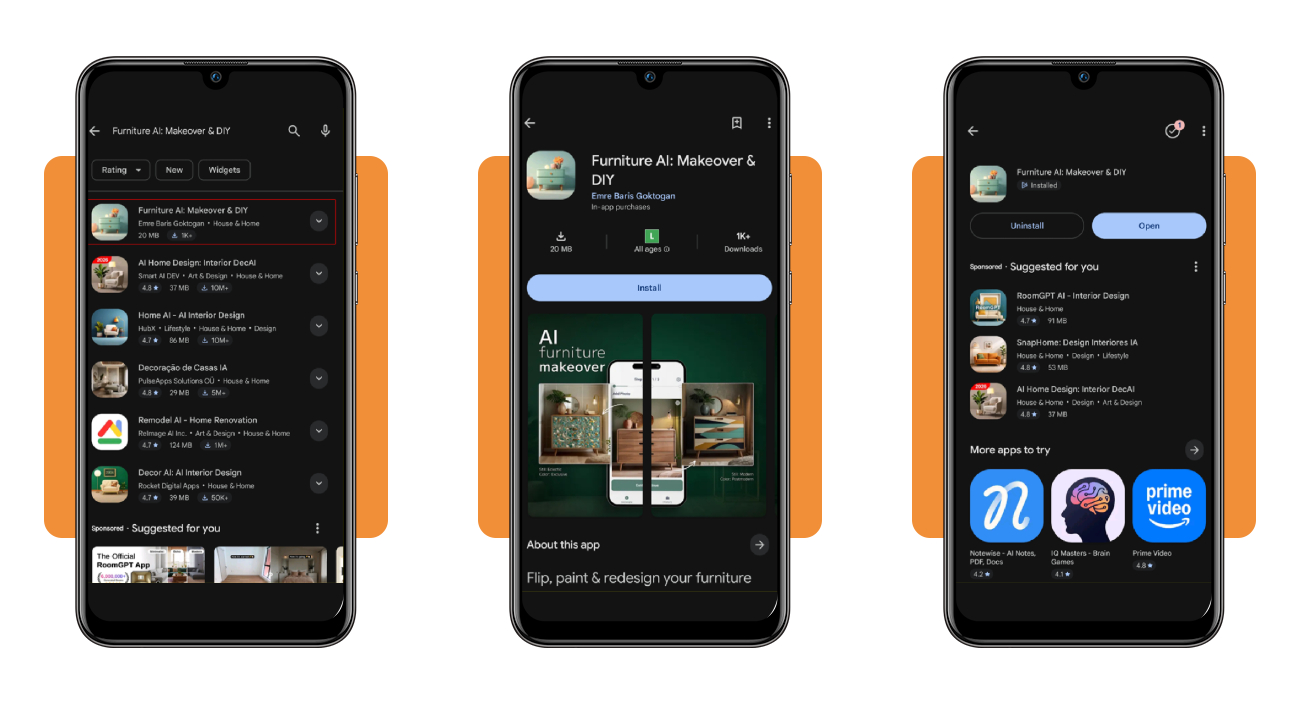
Head to the App Store or Google Play on your phone and search for ‘Furniture AI Makeover & DIY’, then tap either ‘Get’ (iOS) or ‘Install’ (Android) to finish setting up the download.
Once the app finishes installing, open it up and grant camera access when prompted, since that permission lets you photograph furniture directly within the app itself.
Step 2: upload a photo of the damage
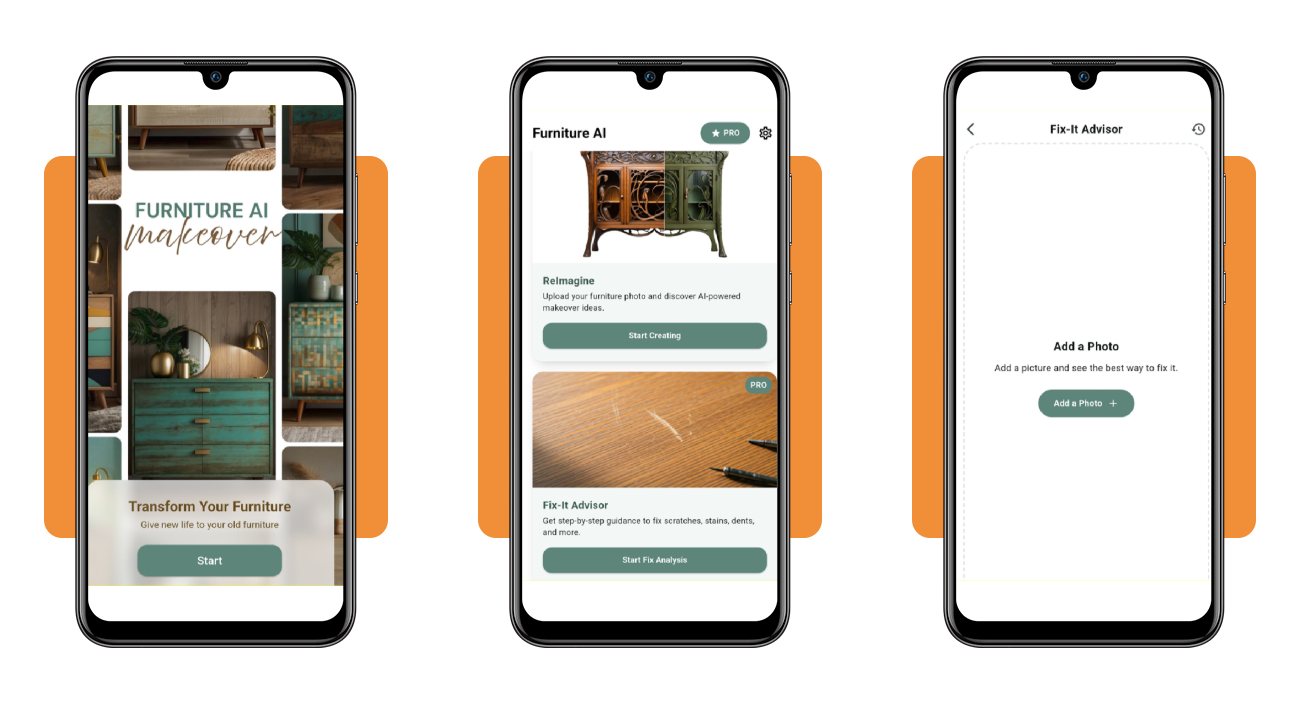
Open the ‘Fix It Advisor’ tool inside the app and tap the button to add a photo showing the upholstery repair area you want the AI to examine.
Make sure the lighting stays bright, and the damaged area remains fully visible within the frame, giving the app a clear, sharp image to read every visible detail.
Step 3: let AI diagnose the problem
Once you submit the photo, the app analyzes the damage closely and identifies the type of repair your particular furniture piece needs to fully recover its original shape.
The diagnosis covers common issues like tears, stains, loose joints, and worn or faded fabric, giving you an honest starting point before any hands-on work begins.
Step 4: follow the guided repair steps
The app breaks down each repair into a series of simple instructions, listing the materials, tools, and techniques best suited to the damage found in your piece.
Working through the process at your own pace lets you build real confidence with every stitch, patch, or full coat of paint your furniture piece receives during restoration.
Essential tools and materials you need for upholstery flippings
Every successful furniture flip starts long before the needle touches fabric, with the right tools sitting nearby determining how smoothly your upholstery repair project unfolds from the start.
Your toolkit needs a solid mix of gripping, cutting, and fastening tools, letting you remove old fabric, staple new material tightly, and finish edges with clean, precise lines.
Beyond fabric and thread, certain materials shape comfort and durability, giving cushions their bounce and helping frames hold their structure through many years of everyday use and wear.
Stock up on basic hand tools
A staple gun handles most of the heavy lifting, attaching new fabric securely to frames while you work through cushions, backs, arms, and every tricky small curved corner.
Pliers and side cutters pull out old staples and stubborn tacks in seconds, while sharp scissors give you clean, precise cuts along fabric edges and delicate curved seams.
Choose the right foam and padding
Foam density shapes comfort in real ways, and choosing correctly makes a genuine difference in how your upholstery repair holds up through many years of daily practical use.
Dacron wraps around foam edges to soften harsh lines, giving cushions a smooth rounded look while helping fabric glide gently over corners without bunching or visible lumps forming.
Keep webbing and spring twine handy
Webbing forms the hidden support layer beneath cushions, stretching tightly across the frame to hold everything in place while providing bounce that foam alone cannot deliver.
Spring twine ties coil springs securely into position, keeping seats from sagging early on and giving your furniture piece the firm, lasting support every well-built frame requires.
Invest in specialty finishing equipment
A decorative nailer adds polished trim details along seams and edges, sparing your hands from repetitive strain while creating a clean, professional finish on every furniture project.
A webbing stretcher pulls new webbing taut before stapling, giving your seat proper tension and preventing that sunken, saggy feeling nobody wants in any finished chair or sofa.
3.8/5
Give your furniture a second life
Furniture AI (Android | iOS) hands you a real starting point when that scratched dresser or faded chair feels beyond saving, turning hesitation into a project you can actually finish by yourself.
This guide was created by Insiderbits to show you just how upholstery repair stops feeling like a mystery once you know which tools to grab and which steps come first.
Make sure to keep browsing Insiderbits to find more guides on fixing up your home yourself, one project at a time, without needing a contractor or a huge budget.